
REVIEW · GERMANY
Airbus A320 flight simulator Frankfurt Airport
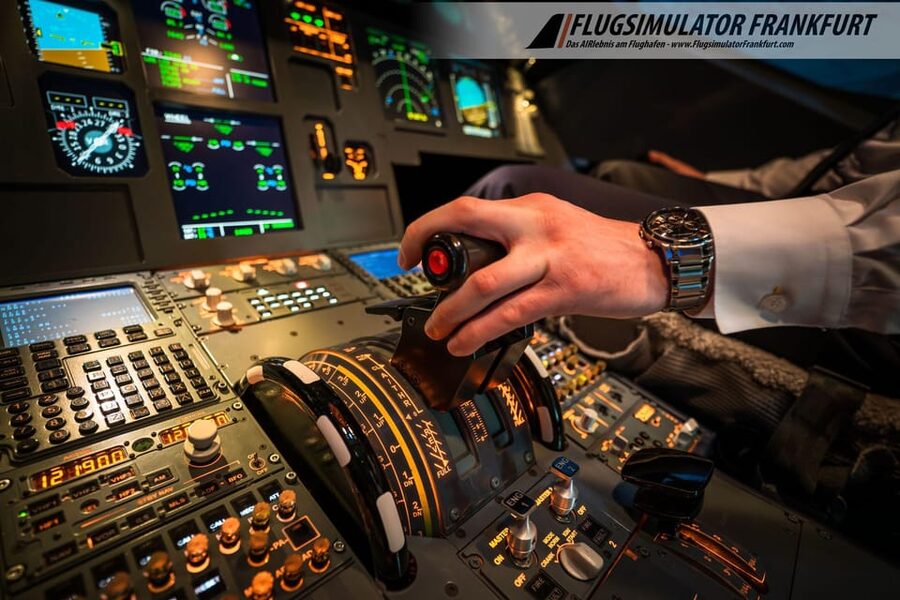
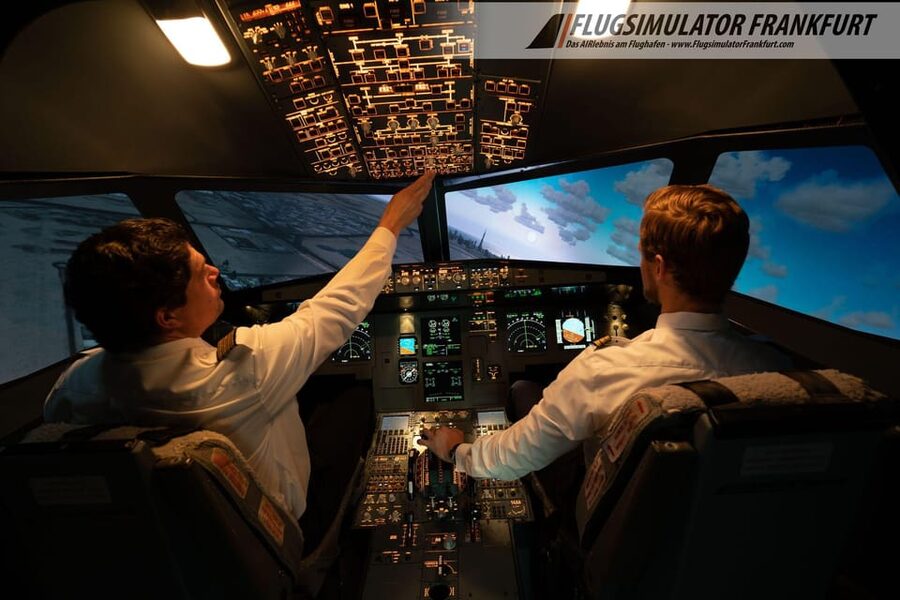
Turning the cockpit into your seat starts fast. This A320 flight simulator at Frankfurt Airport lets you handle takeoffs, landings, and even tricky weather, using a realistic Airbus-style setup and a giant wraparound screen. You get briefed up front, then you pilot your own flight plan from major hubs to classic, now-closed airfields.
What I like most is the 60 minutes of guaranteed cockpit time and the way the flight feels like more than a video game. Second, the 180-degree spherical screen (3x Full HD) makes the world outside the cockpit feel believable, especially during approaches. The main drawback is that it is not fully hands-off, you will be multitasking, and that can be challenging at first, even with good coaching.
You will likely leave with a bigger respect for workload than for bragging rights. That is a good thing.
In This Review
- Key points before you book
- Frankfurt Airport, but make it pilot training
- What happens before you ever touch the controls
- Your cockpit hour: takeoff, landings, and managing the workload
- Route choice that makes the simulator feel personal
- Weather controls: calm skies or instrument-like pressure
- The giant screen: why it is more than decoration
- Who can watch and how the experience feels for a group
- Optional DVD: your flight as a keepsake
- A smart bonus: the co-pilot option on the same shift
- Price and value: what you are actually paying for
- Practical tips so you get the most out of your A320 hour
- Who this suits best (and who might want to reconsider)
- Should you book the Airbus A320 simulator at Frankfurt Airport?
Key points before you book
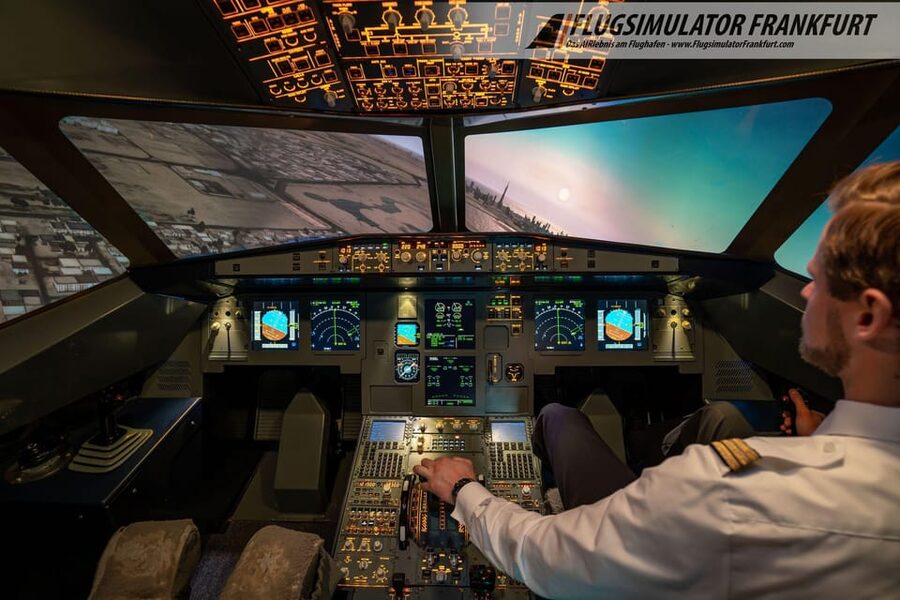
- 60 minutes guaranteed cockpit time so you are not just watching
- 15-20 min briefing to get control basics and flight physics
- 180-degree spherical screen with 3x Full HD visuals for realistic approach cues
- Pick your route and weather, including fog and thunderstorms scenarios
- Optional flight DVD if you want a souvenir recording
- Instructor support in German or English that helps you focus on flying
Undecided? The closest Frankfurt write-ups we have are these.
- Frankfurt: River Main Sightseeing Cruise with Commentary★ 4.3 · 5,127 reviews
- Frankfurt: Hop-On, Hop-Off Grand or Express Bus Ticket★ 3.9 · 2,088 reviews
- Frankfurt: 1-Hour Panorama Boat Cruise on the river Main★ 4.4 · 1,822 reviews
- From Frankfurt: Rhine Valley Day Trip★ 4.4 · 1,317 reviews
Frankfurt Airport, but make it pilot training
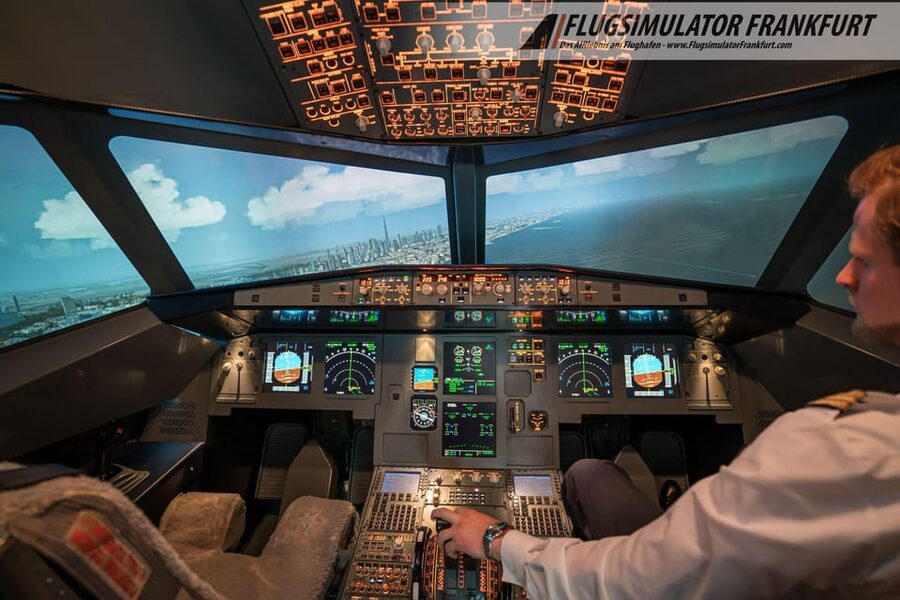
This is one of those rare experiences where you do not just sit in a simulator for a quick thrill. At Frankfurt Airport, you get a real cockpit environment built around an Airbus A320, and you get time in the pilot’s seat that is long enough to actually learn what matters: controls, spacing, speed management, and the rhythm of takeoff through landing.
The flight simulator setup is designed so the action stays in your hands. You start with an instructor, then you get coached through your flight, and the route and even weather can be shaped by you. That combination is what makes it fun and useful, whether you fly model planes on weekends or you have never touched an airline joystick in your life.
Also, you are not dealing with a flat monitor. The simulator uses a spherical 180-degree display with 3x Full HD resolution, so the cockpit sightlines match what you expect in the real world. When you look out to line up for an approach, your brain gets the right signals. That matters more than people think.
What happens before you ever touch the controls
Your session starts with a short instruction phase, typically 15 minutes. You meet your instructor and you get a briefing on how the cockpit controls work, the basics of flight physics, and how the A320 setup behaves.
This is where you should pay attention, because the flight itself is where the challenge shows up. The controls and their response can surprise you if your mental model comes from games. In one account, the instructor did a great job preparing the group beforehand, and that support helped, but the simulator still required real concentration. In other words, expect it to feel different from what you imagine until you get the hang of it.
You also get a chance to get oriented so you are not spending your cockpit hour hunting for buttons. The goal is not to make you a pilot in one afternoon, it is to make you a confident pilot for the specific flight you are about to run.
Your cockpit hour: takeoff, landings, and managing the workload
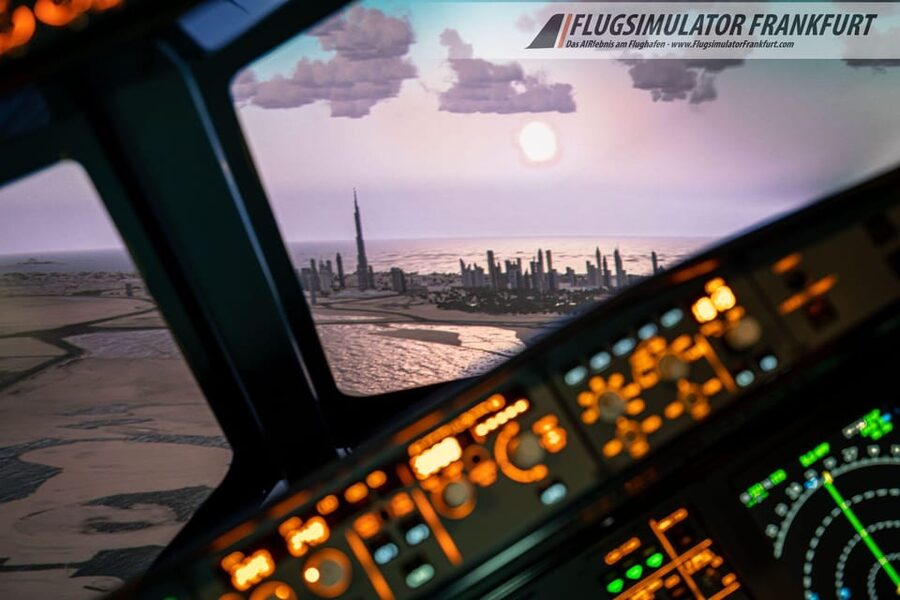
The headline is simple: 60 minutes of guaranteed cockpit time. Plan for 1.5 to 2.5 hours total, because the briefing and debriefing take time, and you may have extra piloting options depending on your shift.
In the cockpit, you train what pilots actually do in practice: takeoffs and landings. Those are the phases where precision and timing matter most, and they also make for the best “I did that” feeling. If you want drama, you can ask for demanding weather and run approaches in tougher conditions. If you want pure fundamentals, you can stick to clearer conditions and focus on smooth control inputs.
You should know one thing upfront: multitasking is real here. Even with instructor help, you still have to manage multiple priorities at once. In one review, the pilot-in-training noted that flying is still a challenge to concentrate on while juggling tasks, and that the aircraft reacts a bit differently than expected. That is normal, and it is part of the value. You leave understanding why airline flying is a skill, not a switch you flip.
Route choice that makes the simulator feel personal
One reason this experience works well is that you are not locked into a single airport or scripted tour. You can choose the route yourself as you want, or let your instructor guide you through the program.
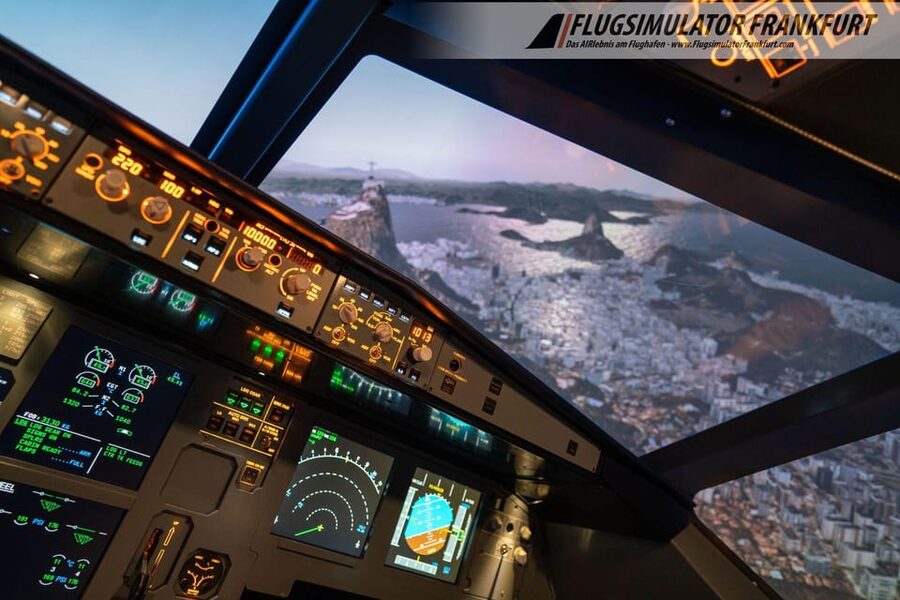
The simulator can pull from 24,000 airports. That is the kind of option list that usually leads to confusion, so here is the practical way to use it: pick routes that teach you something specific. A big busy airport helps you practice structured approaches and timing. A smaller, scenic run can help you feel how the aircraft behaves on final.
Some showcased options include:
- Frankfurt takeoff and landing
- New York
- Sint Maarten in the Caribbean
- Kai Tak Airport in Hong Kong, noted as legendary and now closed
If you choose Frankfurt, you get a neat full-circle feeling. If you pick a far-away airport like Sint Maarten or a famous classic like Kai Tak, you get variety and story. Either way, you are steering your own experience.



Weather controls: calm skies or instrument-like pressure
Weather is not just a background setting. It changes what you think about during the flight. You can choose current weather or set your desired weather, which means you can experience how the workload ramps up when visibility drops.
The simulator supports scenarios like:
- approaches with dense fog
- challenging conditions such as thunderstorms
- instrument-style landings in low visibility (as described in the experience details)
This is one of the best parts for first-timers. Even if you never learned instrument procedures before, watching how the approach changes under low visibility gives you real intuition. And because the instructor is present, you can learn what to focus on, rather than simply white-knuckling the controls.
Just be honest with yourself: if you are the kind of person who panics when things get complicated, start with easier weather. You can always level up later in the same session if your instructor thinks you are ready.
The giant screen: why it is more than decoration
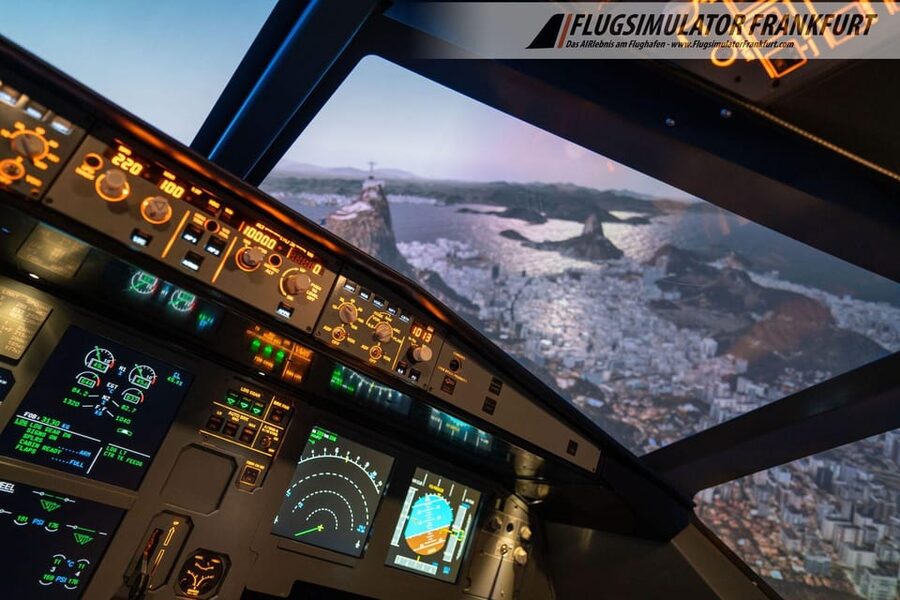
The 180-degree spherical screen is not just there to impress your friends. It supports key parts of the experience: spatial awareness, approach tracking cues, and the sensation of flying forward rather than viewing a screen through a narrow window.
Because it is 3x Full HD, the exterior visuals look sharp enough to help your eyes judge where you are in relation to the runway. That makes it easier to follow what the instructor is telling you and to practice your own corrections.
If you are sensitive to motion or immersion, this may still be a simulator, not a full-motion flight rig. But the field of view and clarity go a long way. It helps you stay focused on flying, not on compensating for “screen limitations.”
Who can watch and how the experience feels for a group
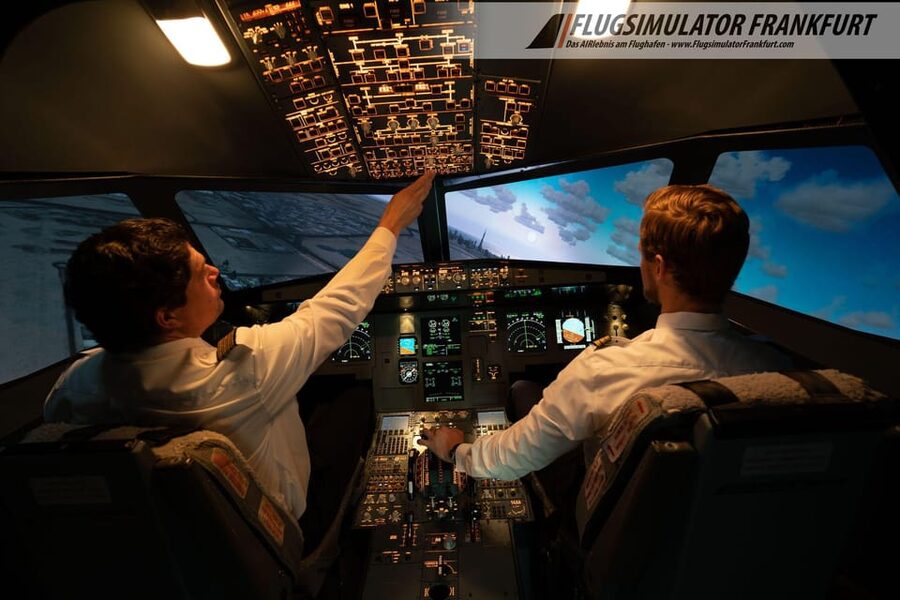
This is set up as a private group, so it is more personal than a crowded attraction. You can bring up to two accompanying people who can follow the action live on the monitor.
That viewer setup changes the vibe. Your friends can watch your takeoffs and landings unfold without distracting you from your flying duties. Meanwhile, you get the instructor’s attention when you need it.
It is also a good format if you want a shared activity with someone who has zero aviation background. They get to see the realism, and you get to focus on your role without feeling like the whole room is watching you struggle.
Optional DVD: your flight as a keepsake
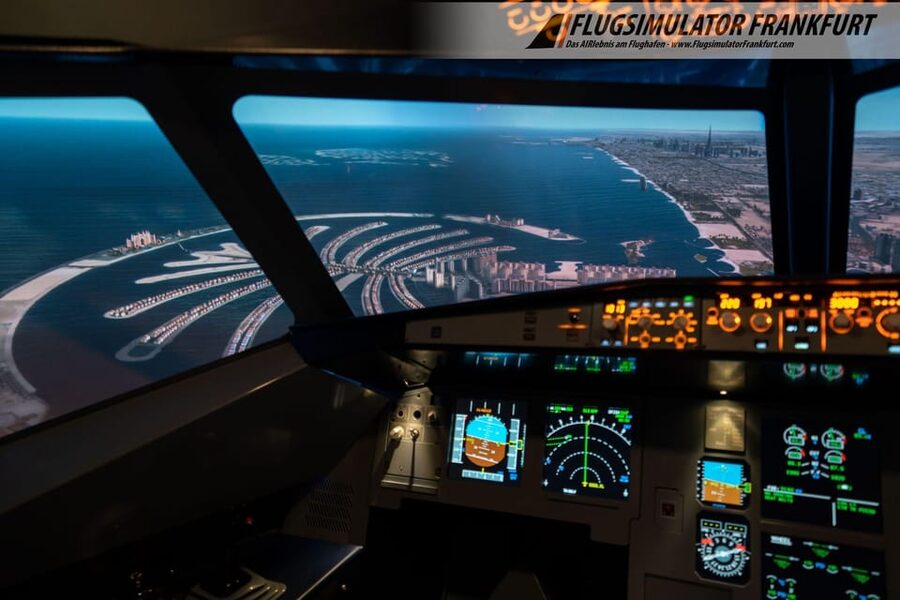
If you want a souvenir, you can purchase an optional DVD of your flight. The experience notes that recording during the flight is optional, so you should plan ahead if you want it.
This is not required, but it can be a nice way to relive what you practiced during the day. It is also a helpful reference. If you remember getting a tricky approach wrong, you might find the recording makes the moment click later.
A smart bonus: the co-pilot option on the same shift
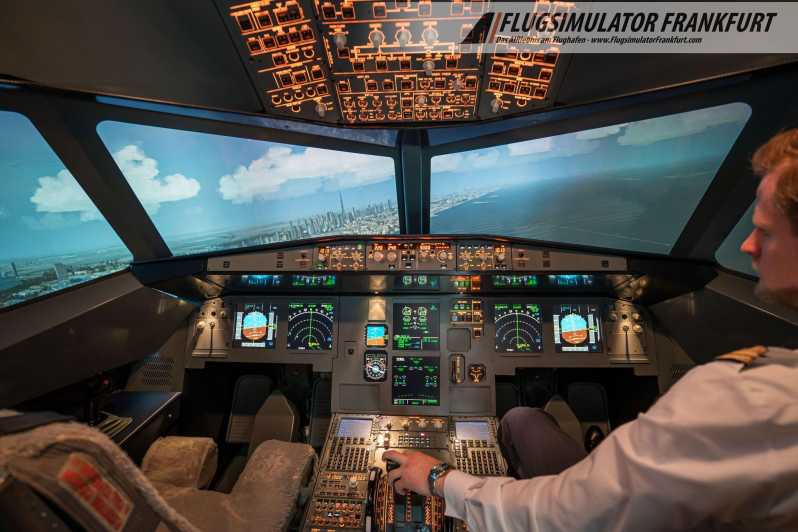
There is a potential upgrade you should know about. If another customer is booked on the same shift, you may have the opportunity to act as a co-pilot for another 60 minutes at no additional cost.
The practical catch is time. You are advised to bring about 2.5 hours if you want the possibility of the extra slot. If you do not want it, talk with your instructor so expectations are clear.
This is the kind of offer that can turn a good experience into a great one. But it only helps if you arrive with flexible time and a willingness to get back into the cockpit flow.
Price and value: what you are actually paying for
At $192 per person for around 2.5 hours total, this can look pricey if you are comparing it to cheap attractions. But the value is tied to three things that matter in practice: real cockpit time, guided instruction, and flexible scenarios.
Here is the value logic:
- You get 60 minutes guaranteed in the cockpit. That is the core product.
- You get structured coaching before you fly, not just a generic “good luck.”
- You can choose your airports and weather, so you are not stuck with one fixed script.
If you want a one-and-done thrill, you might find cheaper options. If you want a session that feels like actual training, with enough time to experience workload and feedback, the price makes more sense.
It also helps that the simulator includes serious visual hardware, a spherical 180-degree display, not a small screen that limits what you can practice. You are paying for realism that supports the learning, not just showmanship.
Practical tips so you get the most out of your A320 hour
You will do better if you go in with a clear approach. Here are a few no-nonsense tips based on how the experience is described and the common learning curve:
1) Arrive ready to concentrate. Even with support, you are multitasking. Treat it like a short training session, not a casual ride.
2) Use weather choices strategically. Start easier if you feel overwhelmed, then move into fog or thunderstorms if you want the extra pressure.
3) Pick one “story” airport and one “learning” airport. For example, Frankfurt can help you feel grounded, while Kai Tak or New York can add variety.
4) Ask your instructor for priorities. If you are overloaded, you do not need more tasks. You need the top two things to focus on during the approach and landing.
5) If you want the DVD, confirm the plan. Since it is optional, make sure you know what you are getting before the flight wraps up.
Who this suits best (and who might want to reconsider)
This experience is built for a wide range of people: it explicitly works for both laypersons and professionals. That makes sense. The briefing and instructor support help first-timers. The simulator scenarios help more experienced aviation fans stretch beyond basic flights.
It is also a strong choice if you like airports, navigation, or aircraft behavior more than pure spectacle. If your idea of fun is “I want to take off and land myself,” you are in the right place.
But it is not for everyone. It is noted as not suitable for:
- children under 12
- people under 3 ft 9 in (120 cm)
- babies under 1 year
- people over 297 lbs (135 kg)
If you fall into any of those categories, you should skip this and look for an alternative simulator option.
Should you book the Airbus A320 simulator at Frankfurt Airport?
Yes, if you want one of the best “hands-on” simulator experiences in a real airport city, with 60 minutes guaranteed cockpit time and enough structure to actually learn. The strong point is the combination of instruction, realistic visuals, and the freedom to choose airports and weather.
I would not book it if you are hoping for a totally relaxing, low-focus attraction. The whole point is learning under real cockpit workload, and that can feel demanding at first, even with an instructor guiding you. In exchange, you get a satisfying sense of accomplishment when your takeoff and landing come together.
If you like the sound of flying an A320, practicing takeoffs and landings, and trying conditions from clear weather to fog and thunderstorms, this is a solid way to spend your time at Frankfurt Airport.
Everything else we filed on Frankfurt
- Frankfurt to Prague – Private Transfer with 2 hours of Sightseeing
★ 5.0 · 3 reviews - Castle Braunfels Day Trip from Frankfurt
★ 5.0 · 3 reviews - Frankfurt – Private tour with Licensed guide
★ 5.0 · 4 reviews - Arrival by Luxury Vehicule from Frankfurt Airport to Frankfurt
★ 4.0 · 4 reviews - Frankfurt MAIN TOWER with Tickets, Guide and Old Town Tour
★ 5.0 · 4 reviews - Discover Frankfurt’s most Photogenic Spots with a Local
★ 5.0 · 4 reviews